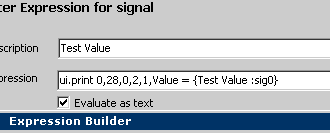
Figure D-1: The Text API Function Block command Drawing Text
neoVI PRO Stand Alone Mode - Custom
Controlling The Screen
The UI object of the Text API allows you to control the output to the screen and access the keyboard. Access the text API using the Text API function block command. The Text API is documented in the IntrepidCS API documentation help file. Example commands for controlling the screen is shown below.
Example Text API Screen Commands:
ui.clear ;// clears the LCD screen
ui.print 0,28,0,2,1,Hello neoVI World ;//displays hello world on the screen
ui.line 0,32,127,32,1 ;// draw a line in the center of the screen
ui.ledpwr 1 ;//
sets the led on
ui.ledpwr 0 ;// turns led off
Figure D-1: The Text API Function Block command Drawing
Text
LEDs are also available via the expression editor.
Using the Keypad
The keypad is available via the expression editor.
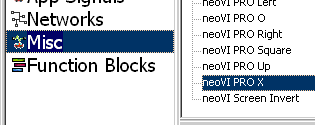
Figure D-2: neoVI PRO Keys are available in expressions for scripting.
| < Previous | Back to Table of Contents | Next > |