 |
Vehicle
Spy Mini Mode |
Overview
|
Vehicle
Spy Mini Mode |
Overview
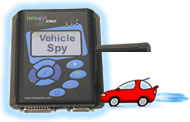
Use the powerful features of Vehicle Spy software in the field, away from your desk and without hauling around a laptop. Vehicle Spy Mini Mode allows you to view messages, transmit messages, run function blocks, and launch diagnostic jobs.
Standard Setup Procedure:
1) Create a .VS3 (Vehicle Spy Setup) file Using Vehicle Spy.
a) Open Vehicle Spy.
b) Select Tools and then neoVI PRO Setup.
c) Select “Vehicle Spy Mini Mode” from the dropdown.
d) Open neoVI PRO Emulator (click on Tools and then neoVI PRO Emulator).
e) Use Vehicle Spy features to build a setup file that suits your needs. More
details on specific functions can be found in the Vehicle Spy help documentation
and tutorials.
f) Double check your work using the neoVI PRO Emulator.
2) Save your setup file.
3) Copy the file to the neoVI PRO Compact Flash Card.
| < Previous | Back to Table of Contents | Next > |