

|
|
|
|
neoVI PRO Emulator
The neoVI PRO Emulator is a useful tool for trying out your setup file before actually loading it in your neoVI PRO. The Emulator is found by clicking on “Tools” and then “neoVI PRO Emulator”. (See Figure 2.) Anything you set up in Vehicle Spy will work in neoVI PRO just as it does in the Emulator. Just use your mouse to click the buttons!
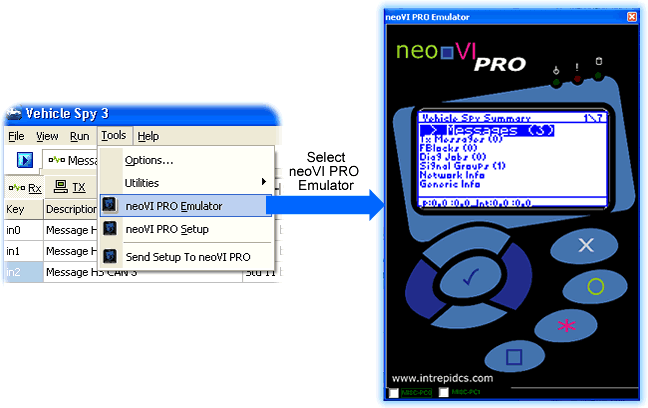
Figure 2: Access neoVI PRO Emulator through
Tools Menu.
Once you are satisfied with your setup file, you will need to send it to neoVI PRO. Do this by selecting the "Send Setup to neoVI PRO" option in the Tools menu. (See Figure 3.)
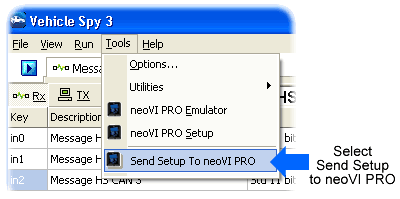
Figure 3: Send Setup to neoVI PRO.
| < Previous | Back to Table of Contents | Next > |