


|
|
|
|
neoVI PRO Setup
neoVI PRO Setup is where you select your operation mode and may transfer files to and from the neoVI PRO device. neoVI Setup can be found by clicking on “Tools” in the upper menu and then selecting “neoVI PRO Setup” (Figure 2). Simply choose the desired operation mode from the drop down list.
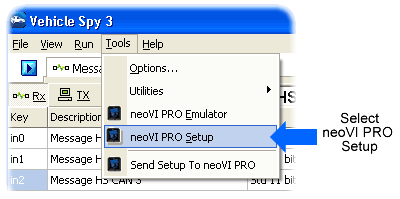
Figure 2: Access neoVI PRO Setup through
Tools Menu.
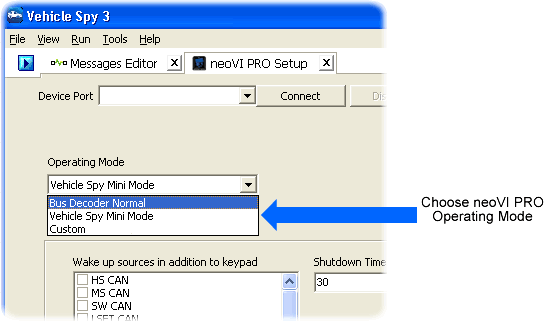
Figure 3: Choose neoVI PRO Operating Mode from Drop Down
List.
| < Previous | Back to Table of Contents | Next > |